Context
Keep the “why” attached to the resource. The note follows it into every Space.

 ClingSpace Your project, all in one Space.
ClingSpace is a local-first project workspace for Windows and Mac. Create a Space for any project and bring together files, folders and resources from anywhere on your computer, without moving the originals.
$19.99 one-time • 5-day full trial
Version 1.0.3 • 64-bit Windows • Mac 1.1.2 (macOS 12.0 or later)
Your files can live in Documents, Downloads, OneDrive, another project folder or anywhere else. ClingSpace keeps the project relationship without moving or duplicating the originals.
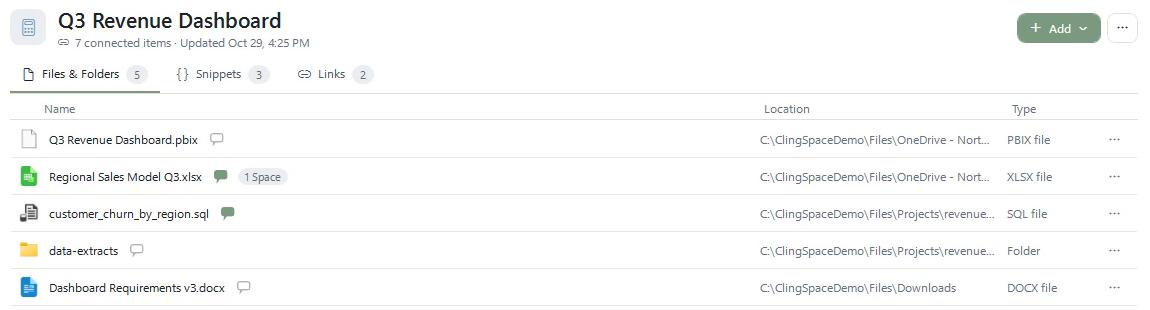
Store the map, not the files.
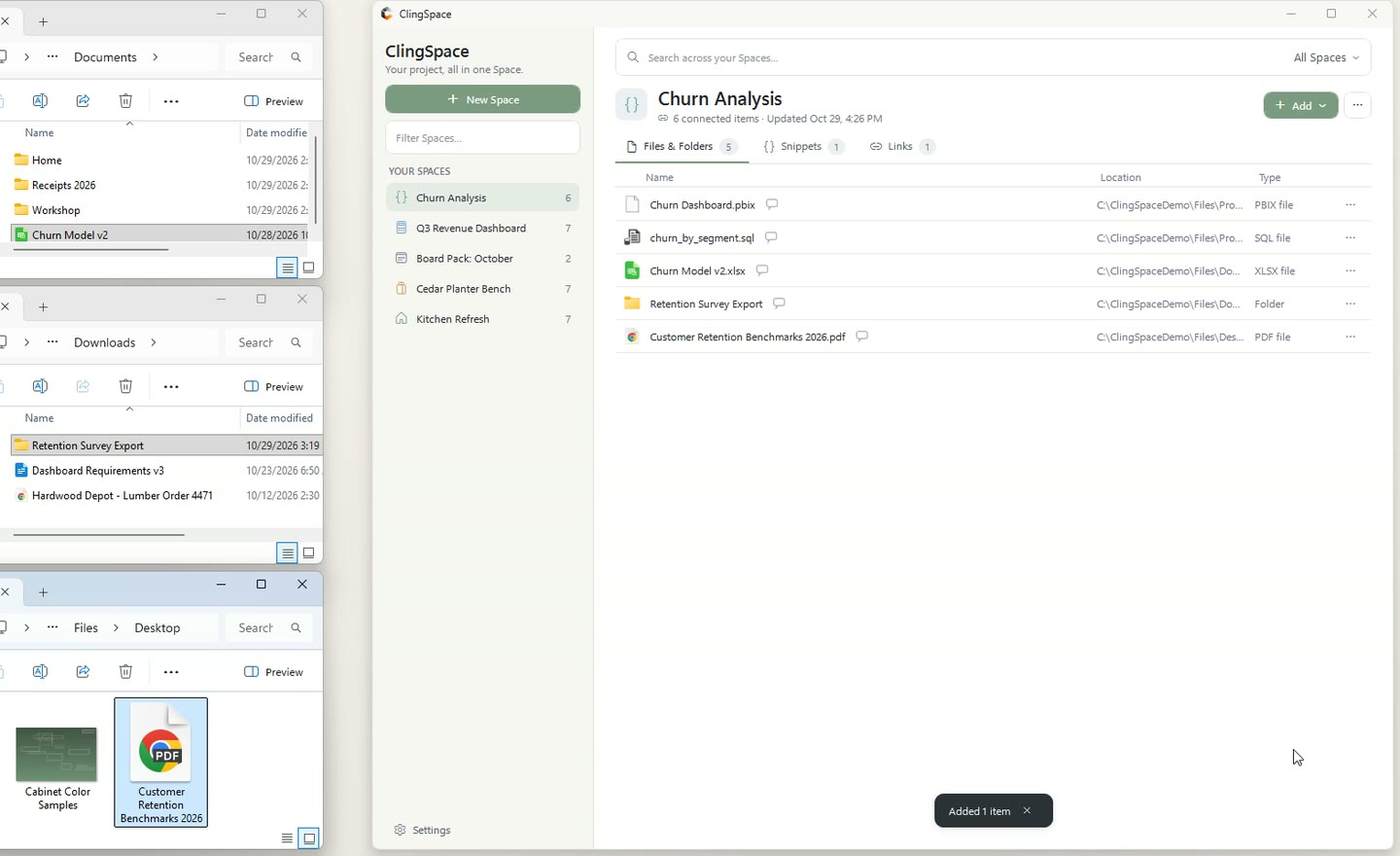
Spaces
Keep the “why” attached to the resource. The note follows it into every Space.
Keep important web references with the project.

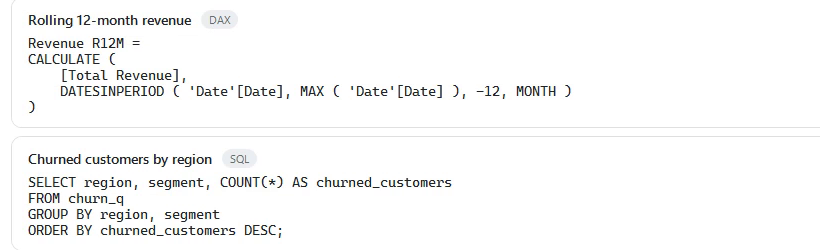
Reusable SQL, notes, reminders and references, one click to copy.
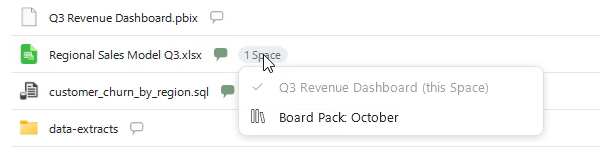
The same resource can belong to more than one Space, without duplicating it.
New in ClingSpace for Mac
Keep the to-do list inside the Space it belongs to. Work through it as a checklist, or switch to a Kanban board.
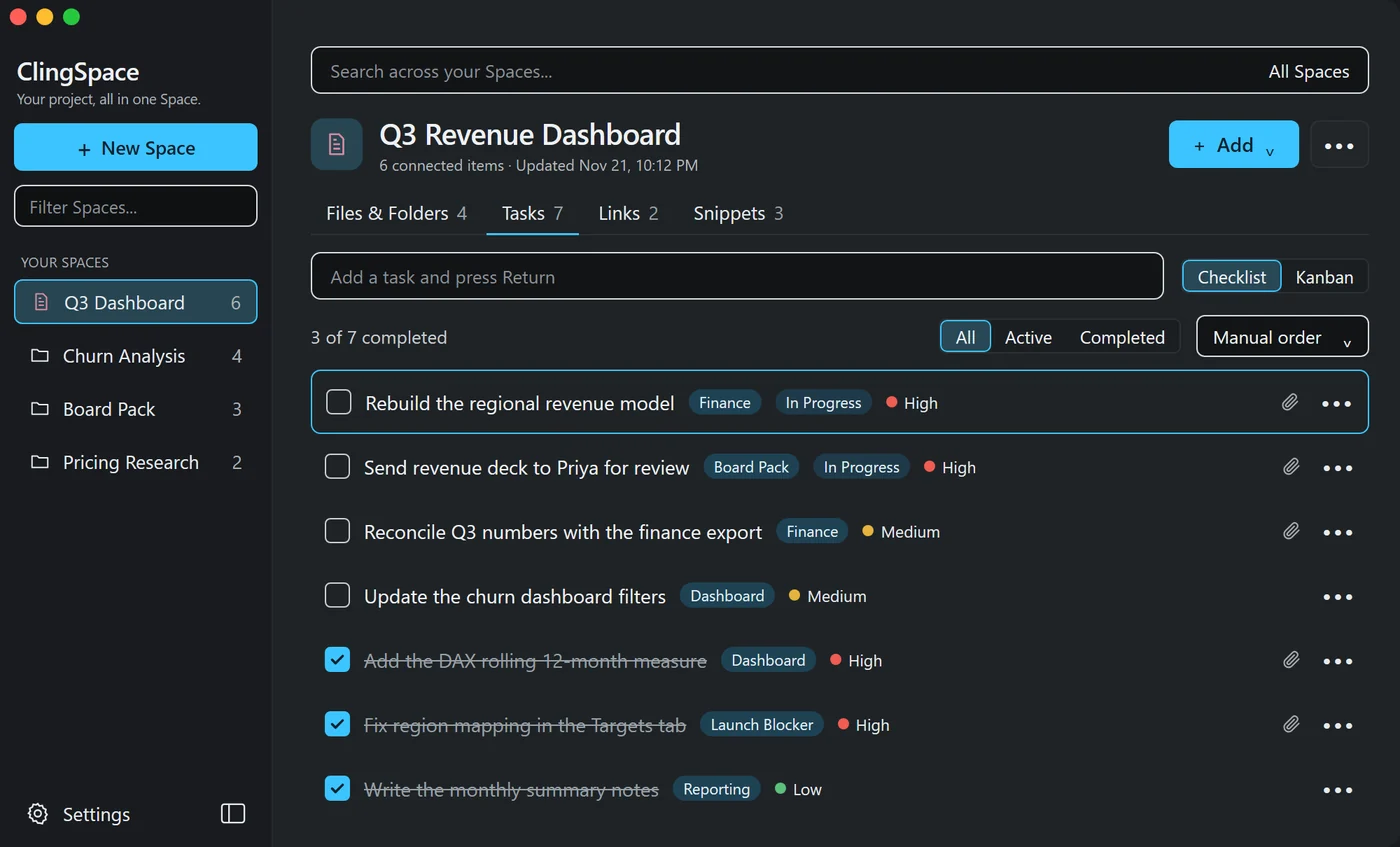
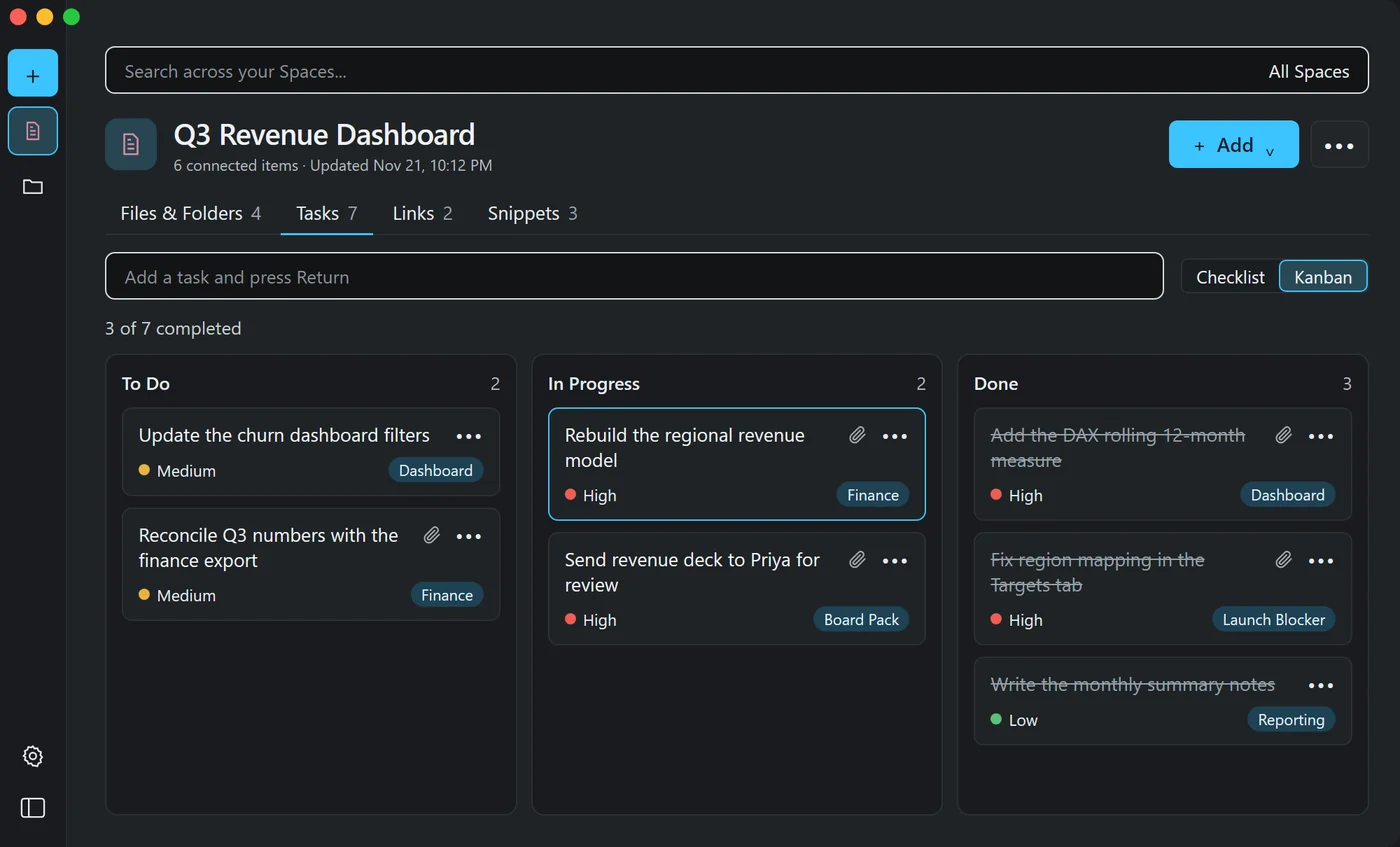
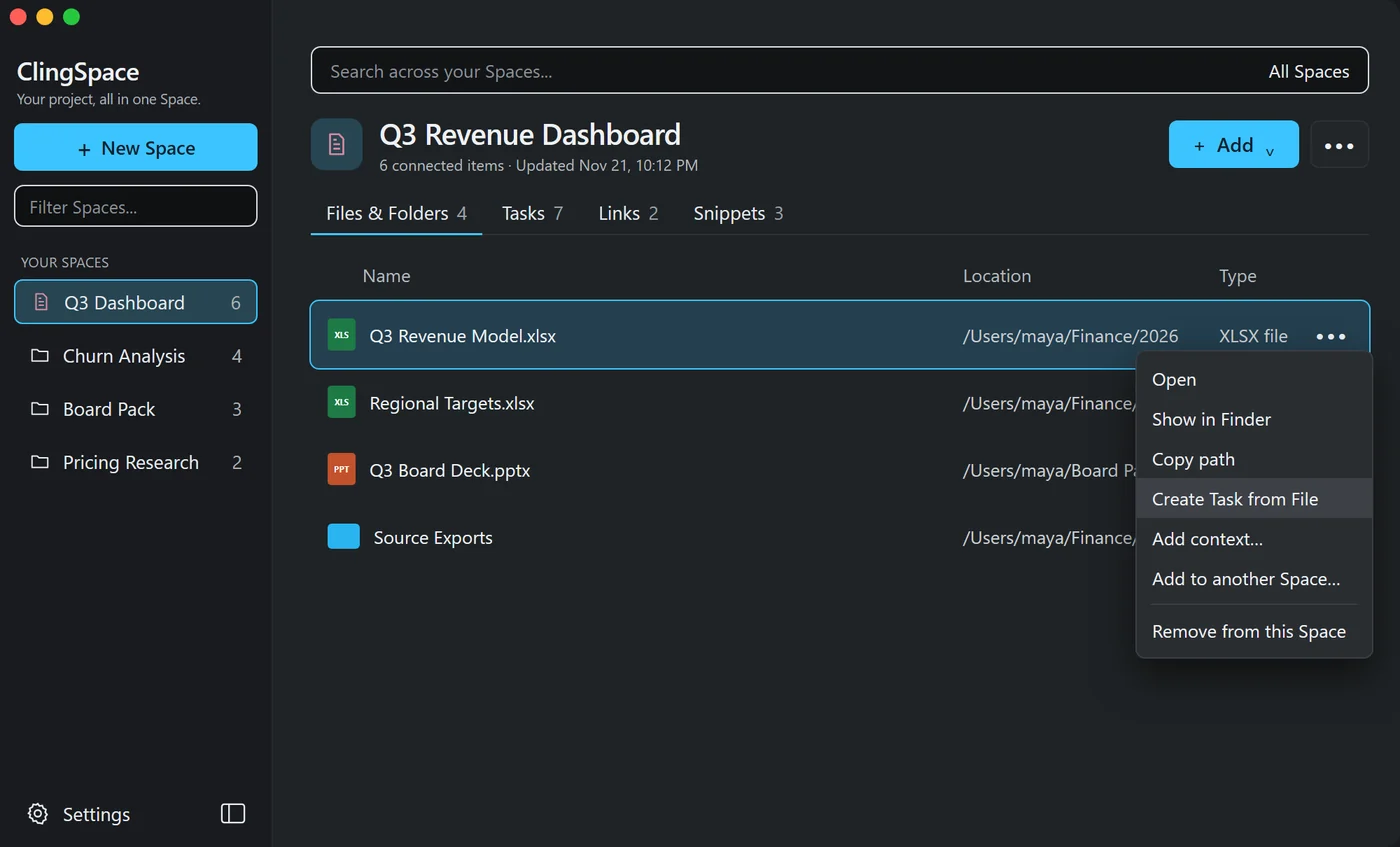
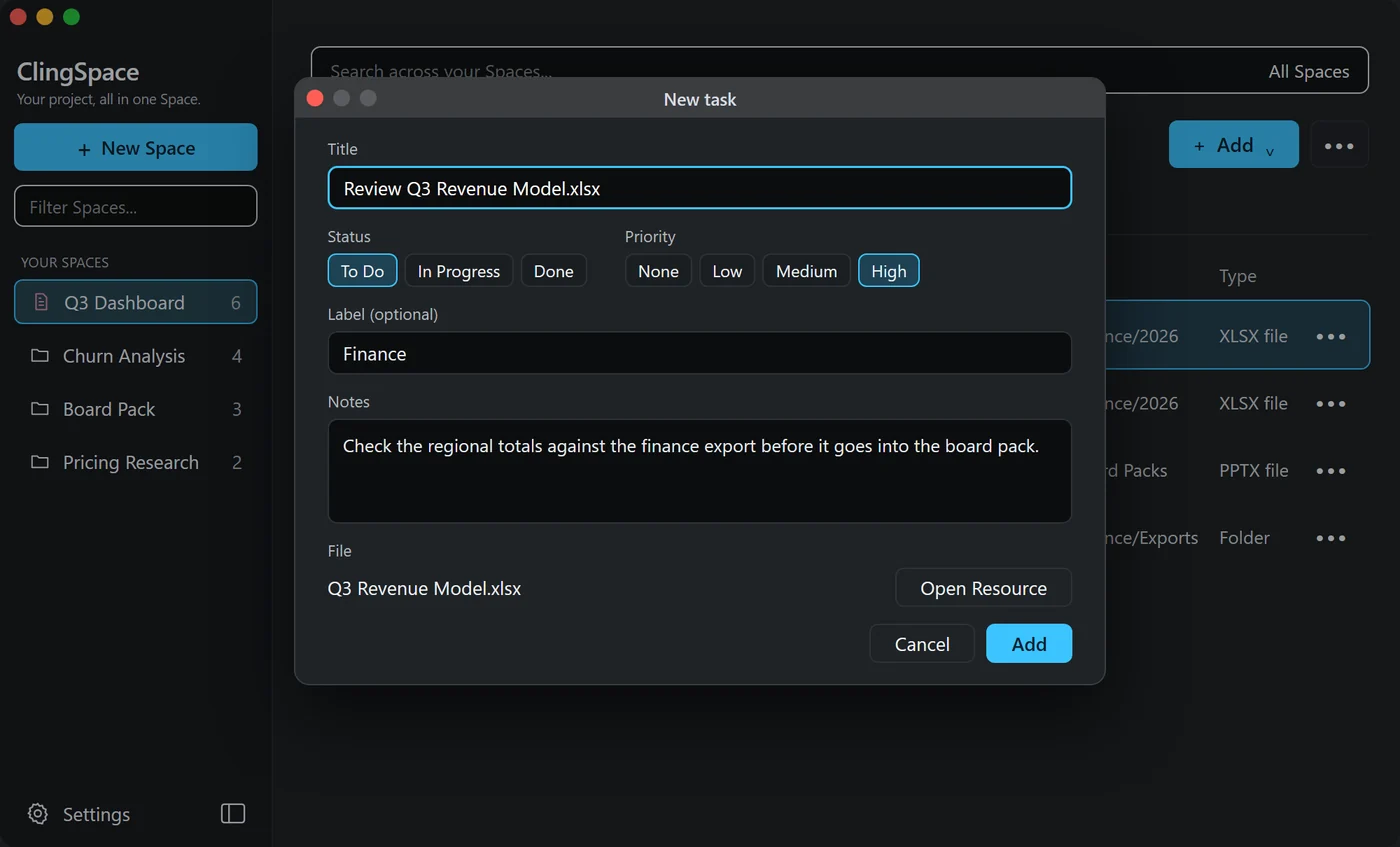
Search every Space at once and see which project each result belongs to, or narrow it to the Space you are in.
Matches names, locations, links, snippet text and your context notes.
LightDarkMatch Windows
Nine accent colours, or pick your own.
The app and this site count anonymous events such as launches and downloads, with no file names, paths, notes, links or personal details. Do Not Track and Global Privacy Control are respected here. Read the full privacy policy.
Try everything for 5 days. Keep it with a one-time license.
Already tried it? Buy a license
No. A Space stores where each file or folder is. Your originals stay exactly where they are, and removing something from a Space never changes the original.
ClingSpace tells you clearly when something cannot be found where it was, and helps you find it again so you can point the Space at its new location.
Yes. It only needs the internet to activate or release a license. After that it works fully offline.
Your data is untouched. The workspace is covered by a simple page until you enter a license, and Settings stays available for backups, restore and your license.
One license works on up to 3 computers in total, across Windows and Mac. You can release a computer from Settings to move the license to another one.
No. ClingSpace is a one-time $19.99 license.
Still have a question? Email support@clingspace.com or visit Support.
Windows and Mac • $19.99 one-time • 5-day trial
www.ClingSpace.com